How to Book ONCF Train Tickets Online (Step by Step)
You can buy ONCF train tickets online on oncf-voyages.ma, in the ONCF Voyages app, at a ticket machine or at the station counter. This guide walks through the online route step by step: what the search form asks, how to read the results, what payment and the e-ticket look like, which ID you need on the train, and how cancellations work. It applies to trains such as Al Boraq, Casablanca to Marrakech and Marrakech to Fes.
Sources checked 5 November 2026: the oncf-voyages.ma search form and results pages (we ran searches but did not buy a ticket) and ONCF’s conditions of sale, which describe the later steps. Prices and rules can change, so confirm them on the site before you pay.
The steps at a glance
| Step | What you do |
|---|---|
| 1. Search | Pick the stations, the date, the number of travellers and the class |
| 2. Choose a train | Read the results, then press Reserver on the train you want |
| 3. Basket | Check the total price and the flexibility of the fare |
| 4. Your details | Enter the buyer and traveller details |
| 5. Check | Check date, time, route, price and identity, because nothing can be changed after you confirm |
| 6. Pay | Pay online by bank card, then download the e-ticket |
Step by step on oncf-voyages.ma
1. The search form. The home page of oncf-voyages.ma opens on a search form. You fill in the departure station, the arrival station, the departure date, an optional return date, the number of travellers (one adult by default) and the comfort: 1st class, 2nd class or single sleeper bed. The calendar also asks for a time slot: night (00:00 to 06:00), morning (06:00 to 12:00), afternoon (12:00 to 19:00) or evening (19:00 to midnight). There is a “Tarif réduit” switch for people who hold a subscription card or an agreement with ONCF. The language menu sits in the top bar.
2. The results. You see a list of trains with the departure time, the duration, whether it is direct or needs a change, the arrival time, the train type and a “from” price. Filters let you show all trains, direct trains only or trains with a change. Many trains carry the note “Nombre de places limité”, which means few seats are left at that price. Earlier trains are hidden at first: press “Trains précédents” to load them.
Here is a real example. For Casa Voyageurs to Tanger Ville on Wednesday 18 November 2026, one adult, 2nd class, the list showed Al Boraq trains at 190 to 225 DH, and slower trains with a change from 125 DH. The route has its own guide: Al Boraq timetable and fares.
3. The basket. Press “Réserver” on the train you want to add it to the basket. ONCF says the recap shows the total price and the flexibility of the fare, so you can check each ticket before you go on.
4. Your details. The progress bar shows four stages: search, trip, your details, confirmation. At the details stage you enter the identification the site asks for, if you are both the buyer and the traveller, or if you buy for someone else.
5. Check everything. According to ONCF’s conditions, you must check the date, the time, the origin, the destination, the price and the identity. These cannot be changed once you confirm. Then you accept the conditions of sale and validate.

Paying and getting your e-ticket
Online you pay by bank card in a secure payment step. The purchase only counts once the payment is validated, so do not close the page before the confirmation. At the station, ONCF’s conditions list cash, cheque (minimum 300 DH), bank card and payment voucher, and the ticket machines take bank cards.
When payment goes through, the site lets you download the e-ticket straight away and also emails you a confirmation with the e-ticket. The confirmation lists the route, the class, the price and the number of travellers. If you lose an e-ticket, you can reissue it on the website or the app. Any other lost or stolen ticket is not refunded or duplicated, so you would have to buy a new one.
ID, sending tickets to others and other ways to buy
- ID on the train. During checks, the person named on the e-ticket must show valid ID: a national ID card, a passport, a residence card or a driving licence.
- Sending a ticket. ONCF allows e-tickets to be passed on by WhatsApp, SMS or e-mail, as long as the ID rule above is respected. So a friend can travel on your ticket only if the ticket carries their name.
- The app. ONCF sells e-tickets in the ONCF Voyages app as well as on the website.
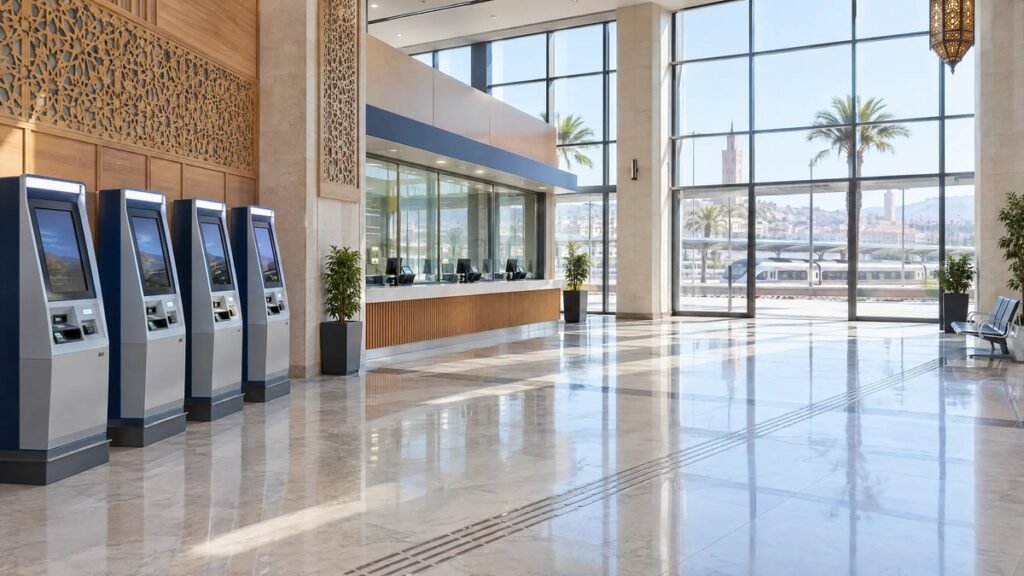
- Ticket machines. You search, pick an offer, pay by bank card and collect the printed ticket from the machine.
- Station counters. Check the details on the ticket before you leave the counter, including the change you are given.
- Partner agents. ONCF names CHAABI CASH, TASSHILAT and CASH PLUS as places to buy on its Yalla fare pages.

Changing or cancelling a ticket
What you can get back depends on the fare type you chose. ONCF’s conditions give this table:
| Fare type | When | Refund |
|---|---|---|
| Non-flex | Any time | Not refundable |
| Semi-flex | Before departure | 50% of the ticket price |
| Flex | Up to 1 day before departure | Full price |
| Flex | Within the last day before departure | 80% of the price |
You cancel before the train leaves. An e-ticket can be cancelled on the website or the app up to 30 minutes before departure, and the refund goes back to the bank account you paid with. At the station you must show the ticket or e-ticket at the counter. If the ticket has a mistake in the date, the time or the traveller’s name, you can cancel it before departure and ONCF refunds it under the conditions of the fare you bought.
The catch is the cheap fare: the Yalla fares for Al Boraq (89 DH in 2nd class) cannot be exchanged or refunded at all.
Cheap fares and what to know before paying
- Yalla Al Boraq: 89 DH in 2nd class and 129 DH in 1st class on Al Boraq trains, limited seats, ONCF advises buying at least 7 days ahead, not exchangeable, not refundable.
- Yalla Al Atlas: a flat 49 DH in 2nd class on Al Atlas trains, limited seats, same 7 days advice and same no-change, no-refund rule.
- Children. Ages 4 to 15 pay a reduced fare and under 4 travel free on an adult’s lap.
- Groups. 10% off in 2nd class and 15% off in 1st class for 3 to 9 people on Al Boraq and Al Atlas trains. Online the reduced-fare option stops at 6 people.
- Slow page? On our visits the site sometimes showed a blank page on the first load. Reloading fixed it each time. If a payment step hangs, check your bank app before you try again.
- Help. ONCF’s customer centre number is 2255.
For what a trip costs on the ground once you arrive, see Morocco travel cost and Getting around Morocco.
Frequently asked questions
Can I buy ONCF tickets online from abroad?
The site and the app sell e-tickets and you pay by bank card. We did not test a foreign card, so check at the payment step that yours is accepted.
Do I need to print my e-ticket?
ONCF says you can download the e-ticket from the site and that it is emailed to you. We found no rule saying it must be printed, but you must show ID that matches the name on it.
Which ID do I need on the train?
A valid national ID card, passport, residence card or driving licence, in the name on the e-ticket.
Can someone else travel on my e-ticket?
Only if the ticket carries their name and they show their own ID. ONCF allows sending e-tickets by WhatsApp, SMS or e-mail, but the ID rule still applies.
Can I cancel an online ticket?
Yes, on the site or app up to 30 minutes before departure, depending on the fare: Non-flex is not refundable, Semi-flex gives back 50% and Flex gives back the full price up to 1 day before departure.
What happens if I lose my e-ticket?
You can reissue it on the website or the app. A lost paper ticket is not refunded or duplicated.
Is the cheapest fare refundable?
No. Yalla Al Boraq and Yalla Al Atlas tickets are not exchangeable and not refundable.
How far ahead can I book?
ONCF recommends at least 7 days ahead for its Yalla fares. We did not find an official limit on how early you can book, so check the calendar on the site.
Sources checked
Checked on 5 November 2026.
- ONCF Voyages, search form and results pages (read only, no purchase)
- ONCF, conditions of sale and use (buying steps, payment, ID, cancellation)
- ONCF, Yalla Al Boraq fare
- ONCF, Yalla Al Atlas fare
- ONCF, small group offer
Prices and rules can change without notice. Confirm them with ONCF before you pay.